App · HQ Live
Every unit, live, tower by tower.
See every tower and floor on one screen, coloured available, booked or sold. A unit can only be booked or sold with its buyer attached, so the plan always matches your sales.
A recreation of LeadOne AI HQ's stacking plan. Searching A-704 fades the other units, its panel shows the price breakdown, and booking it for Priya Sharma turns the unit orange.
hq.leadoneai.com/units
Units
Sai Residency · 2 towers · 64 units
All units
64
Available
3352%
Booked
1422%
Sold
1727%
| Floor | Tower A | Tower B |
|---|---|---|
| 8th | ||
| 7th | ||
| 6th | ||
| 5th | ||
| 4th | ||
| 3rd | ||
| 2nd | ||
| 1st |
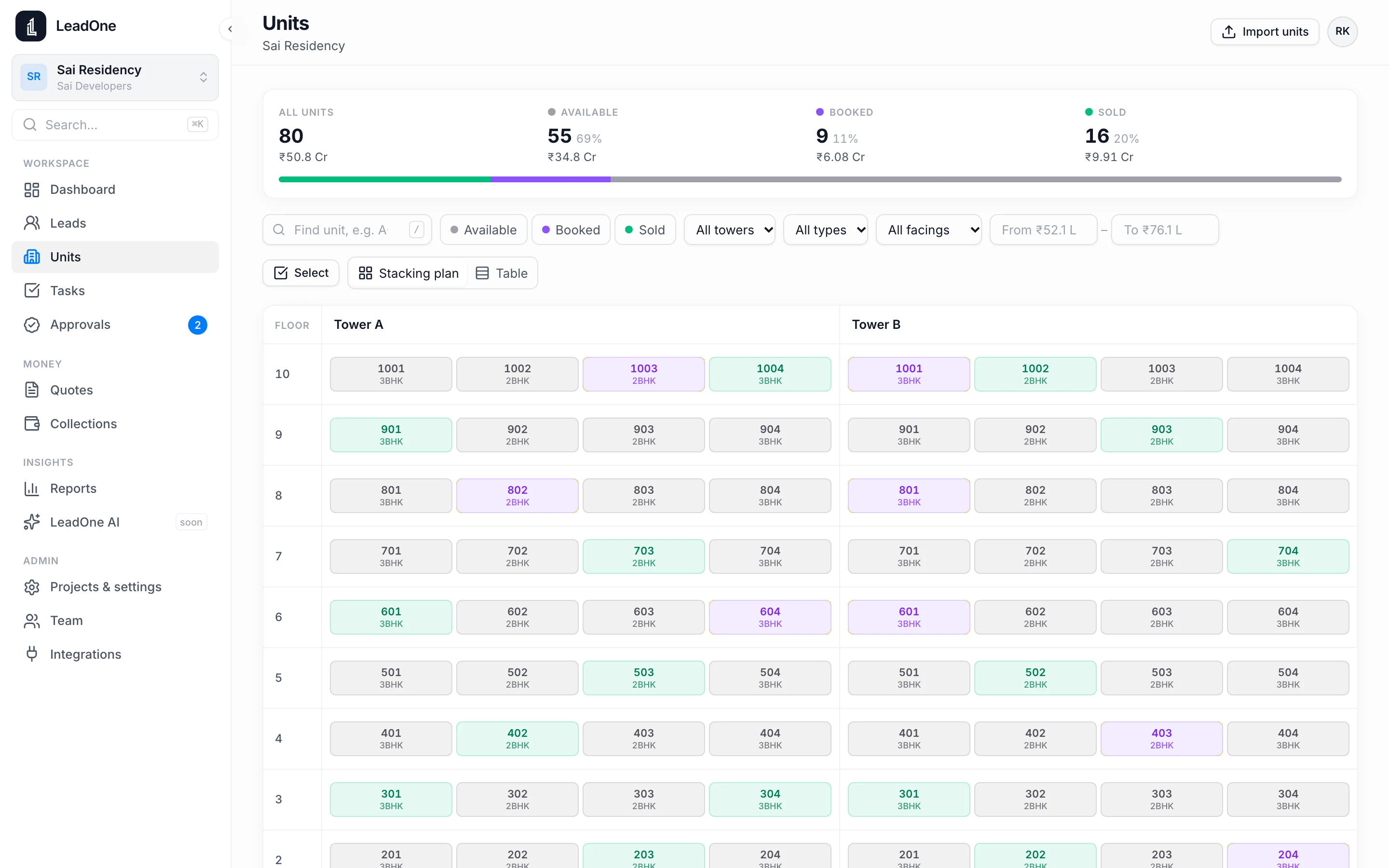
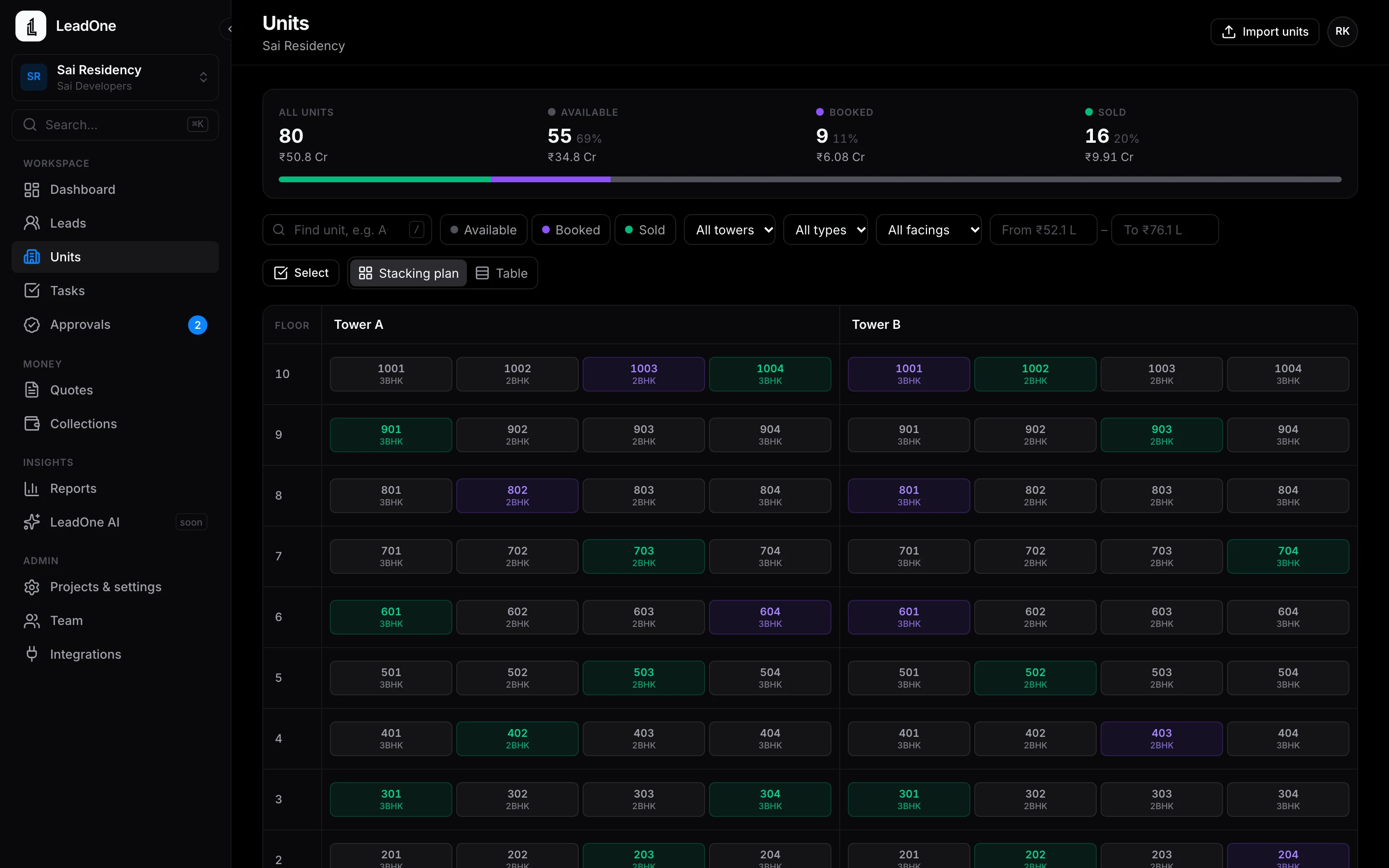
Every tower and floor, coloured available, booked or sold. A unit is booked only with its buyer attached.
Stacking plan and inventory
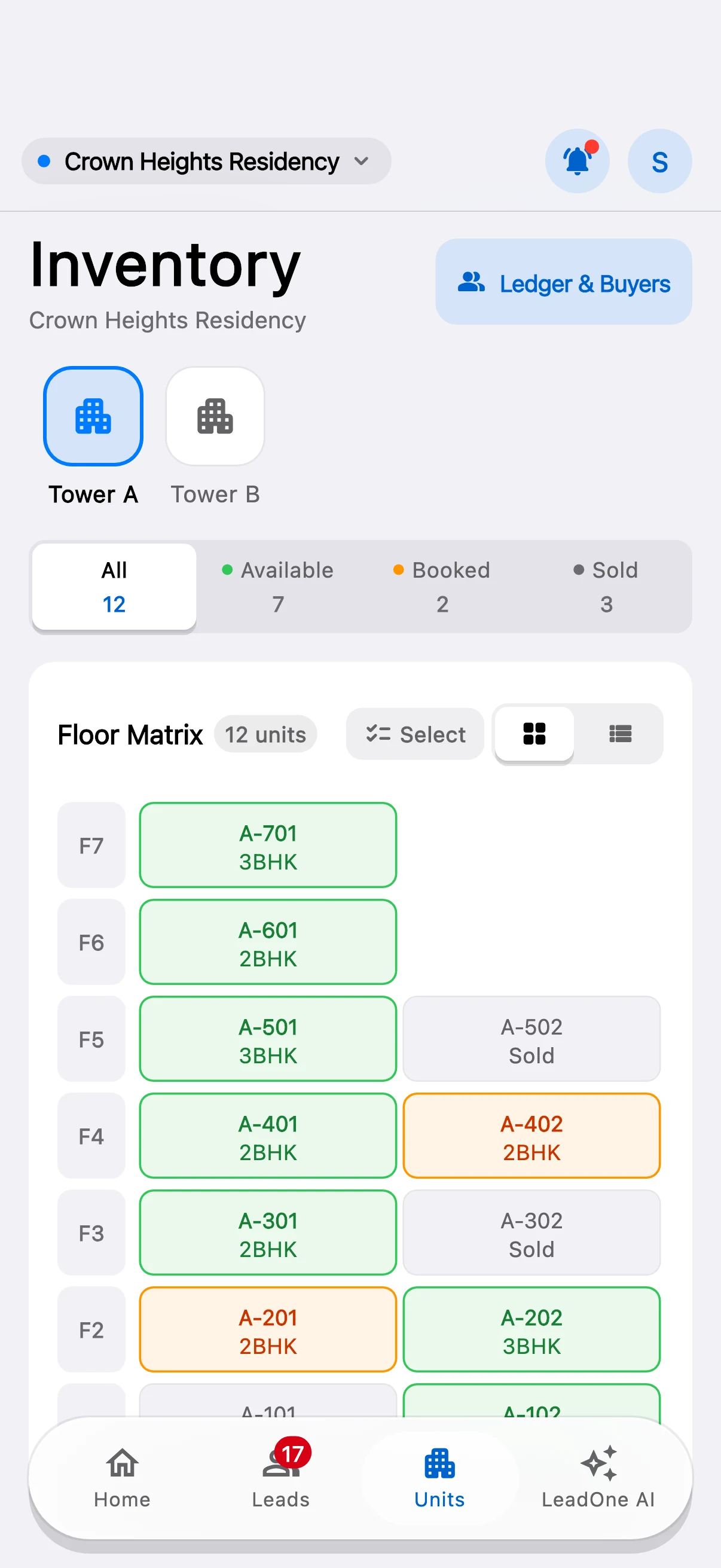
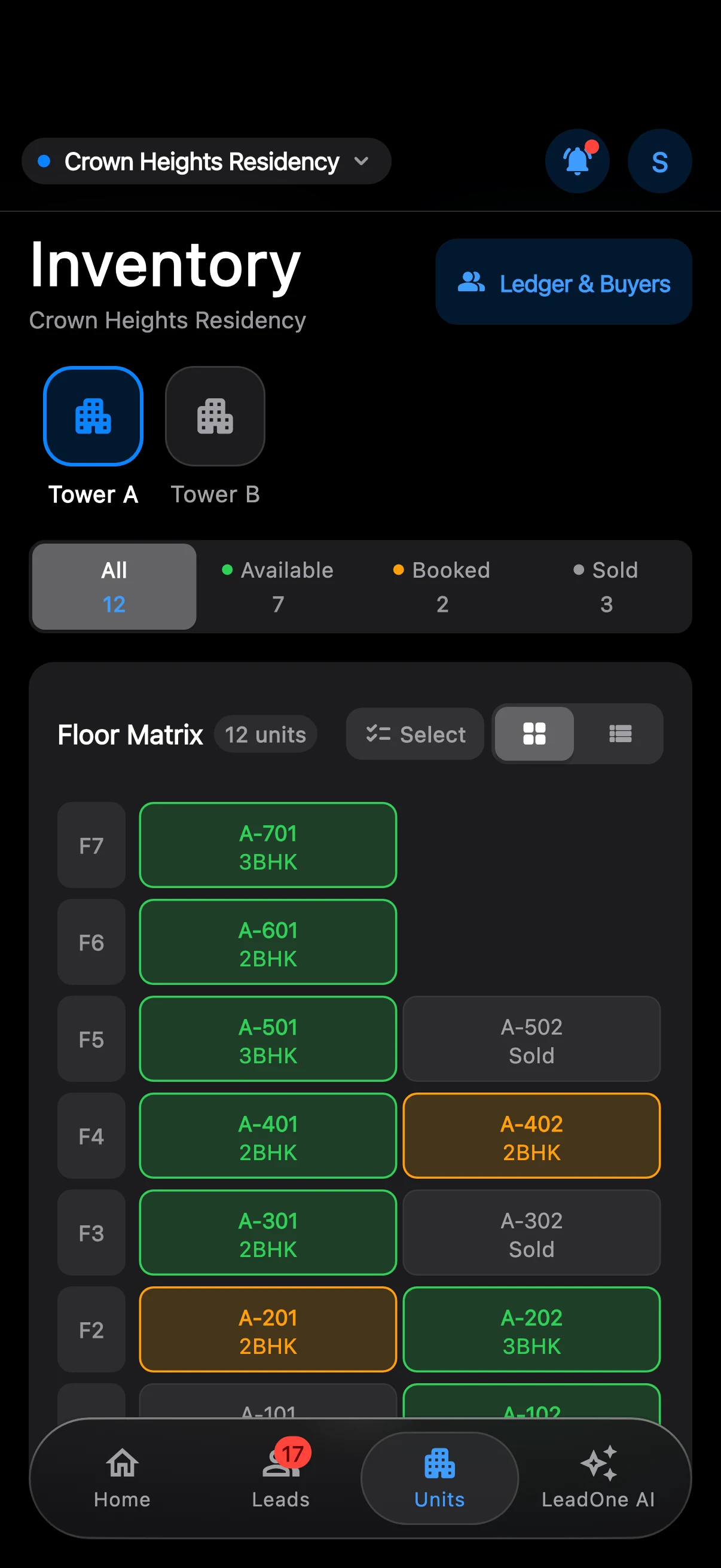
- Stacking plan of every tower and floor, coloured by status
- Search a unit by number, for example A-704
- Import units from a spreadsheet, or let LeadOne AI read them from your price sheet
- Booking and sale always tied to a buyer
- Token booking from the phone
- Several projects, with a project switcher
How it works
- Set up
Import units from Excel or CSV, or upload your brochure and price sheet for LeadOne AI to read.
- Sell
Reps check availability on the phone and book a unit against a buyer.
- See it all
The office sees the same plan in LeadOne AI HQ, updated as units book.
Questions
Can two reps book the same unit?
No. Once a unit is booked against a buyer it shows as booked to everyone.
How do we load our inventory?
Import a spreadsheet of units, or upload your price sheet and review what LeadOne AI reads from it.
Put your next launch on LeadOne AI.
Write to us for a demo on your own project's units and price list.Your reps can download the app today.
 Android: coming soon to Google Play
hello@leadoneai.comAndroid: coming soon to Google Play